
Online booking for fishing guides
A fishing guide usually works alone or with a few other guides, takes bookings by phone and message as often as online, and has no office to run it from. OutwardOps gives a guide a booking button for their own website, a back office that works from a phone, pay links and a personal calendar feed. Free for operators.
What does a solo guide need that a fleet does not?
A guide is the boat, the captain and the front desk. The booking system has to stay out of the way: one trip or a handful, a clear price per person or per day, and a booking that arrives without a phone call at five in the morning.
In OutwardOps a guide sets up a trip once, with prices per customer type and an optional flat price for the whole day. Departures are generated from a schedule of days and start times, so you do not post availability by hand each week. See schedules.
How do clients book from your own website?
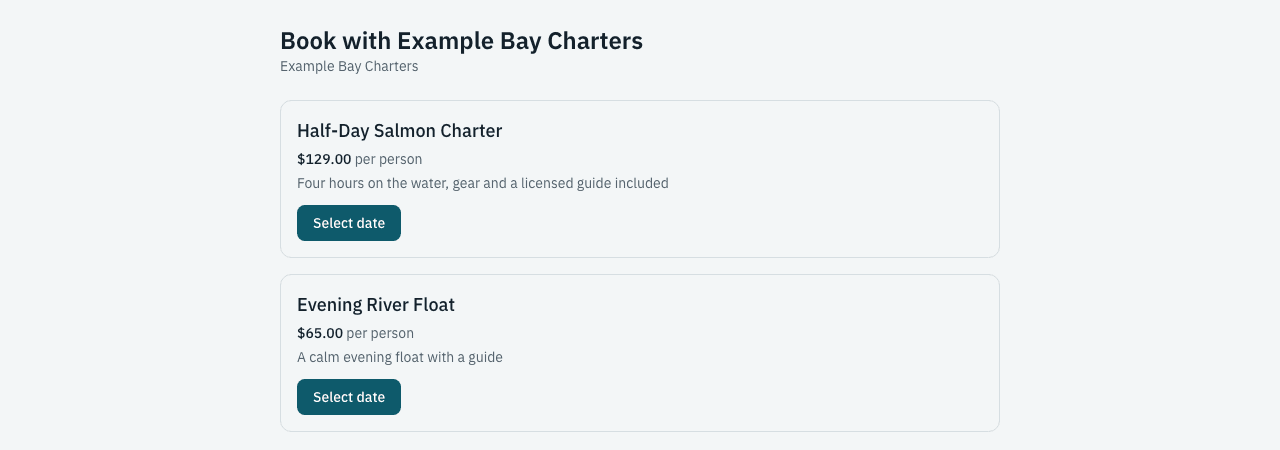
You put a booking button or link on your website; an inline calendar embed is coming. Checkout runs on a booking page on a subdomain of your own website, such as book.yourcompany.com. Guests pay by card and the confirmation email goes out with your name on it.
Each trip has a server-rendered page with schema.org markup, a sitemap and your booking address as the canonical URL. See embeds and booking buttons and SEO-indexable tour pages.

How do you take a phone or text booking?
Many repeat clients message or call to book, and the guide enters the booking. Staff bookings take a guest's details, pick the departure and record the payment as card, cash, check or collect later. Staff bookings carry no convenience fee.
If you would rather not enter a card yourself, send a pay link and the client pays on their own phone. For a tip or a balance on the dock, quick charge takes an amount against the client's card. See pay links and quick charge.

How do you keep a deposit from walking away?
A deposit rule per trip, fixed or a percentage, holds the date. The balance is charged to the saved card three days before the trip, so you do not chase it. If the card fails, the client gets a pay link by email and you see the flag on the booking. See payments, deposits, balances and tips.
How do you know who is coming and what they need?
Custom fields ask what you need to know: licence number, number of years fishing, whether the group wants lunch. Waivers are signed per participant by link, and the signed status shows on the manifest. The customer directory keeps every client, how many times they have booked and your notes, so a returning client is tagged as one.
Can you run it from your phone?
The back office is a web app that works in a phone browser. The native mobile app is built and coming to the app stores; it adds QR check-in that keeps working offline. A private calendar feed of your departures, with headcounts, subscribes into the calendar app you already use. See the mobile app.
What if you add a second guide?
Guides are resources, so a trip that needs a guide cannot be sold when every guide is booked, and a second guide expands your capacity without new trips. Staff get their own logins, and permission groups control what each one sees, for example hiding money from a guide who only needs the manifest. See permissions and staff roles and dispatch and crew.
Ask about this in a demo
Frequently asked questions
Do I need a website to use OutwardOps?
A booking page is provided for each company, so you can share its link. For the best search results, put a booking button or link on your own website.
Can a client pay with a link I send?
Yes. A pay link opens a payment page for the amount you choose, and the payment attaches to the booking.
Do I pay anything to use it?
No. It is free for operators. Guests pay a 6% convenience fee on online bookings. Bookings you take yourself carry no guest fee.
Can I keep my existing client list?
Guests are recorded in the customer directory as they book. Ask in a demo how existing lists and a previous booking system's data come over.